
Beta · Event safety platform
One app for event medical, security and fire dispatch
Trailguard Essentials puts every responder, every case and every conversation on one live map — for marathons, mass events and expeditions. On any phone’s browser or the Android app, with no radios or special hardware to hand out.
Already on a team? Open the app and join with your group’s invite code.
The problem
Event teams still run on radios, chat groups and paper
Who is closest?
Dispatch calls out on the radio and waits for someone to answer.
Who has the AED?
Who carries which kit lives in people’s heads, not on a map.
What happened, when?
Times and patient notes end up on paper and in chat threads.
Features
Everything the safety team needs, in one app
Live map
Every responder’s position, status and kit on one map, updated about every second.
Proximity dispatch
Free units of the right role within 100–2,000 m get an alarm, with optional auto-assign to the closest.
Push-to-talk
Radio-style voice with its own channel for each role plus a main channel, and the Samsung XCover side key as the talk button.
One-touch bodycam
One tap (or the XCover top key) records and streams live; dispatch can ask to view any responder’s camera. Clips go to your own Google Drive.
Patient care records
Vitals (HR, BP, SpO₂, GCS), treatments and medications, with an automatic SOAP handover.
Course overlays
Upload GeoJSON or KML: course, km markers, aid stations, water points, closures and access corridors.
Critical alerts
Major cases ring through silent mode and Do Not Disturb on the Android app; broadcasts to any role.
After-action reports
Response times from report to resolved, cases by severity and role, unit utilisation — as CSV and PDF.
How dispatch works
From report to resolved in six steps
Anyone on the team can report. Dispatch verifies, the app alerts the right people nearby, and every step is time-stamped for the report.
Reported
A pin or GPS location, with notes and photos.
Verified
Dispatch reviews it and sets the severity.
Alerted
Free units of the right role in range get an alarm.
Assigned
A responder accepts, or the app picks the closest.
On scene
Dispatch watches a live ETA until arrival.
Resolved
The responder is free for the next case.
In the app
Built for the phone in a responder’s hand
Big buttons, loud alarms and one decision per screen — so a responder on the move can act in a second.
For responders
Swipe to see more →
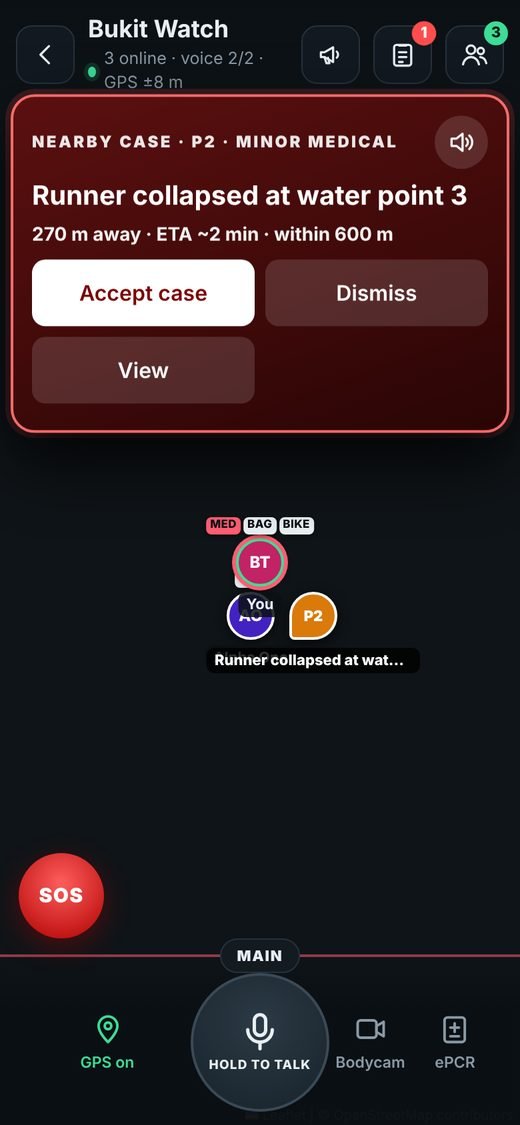
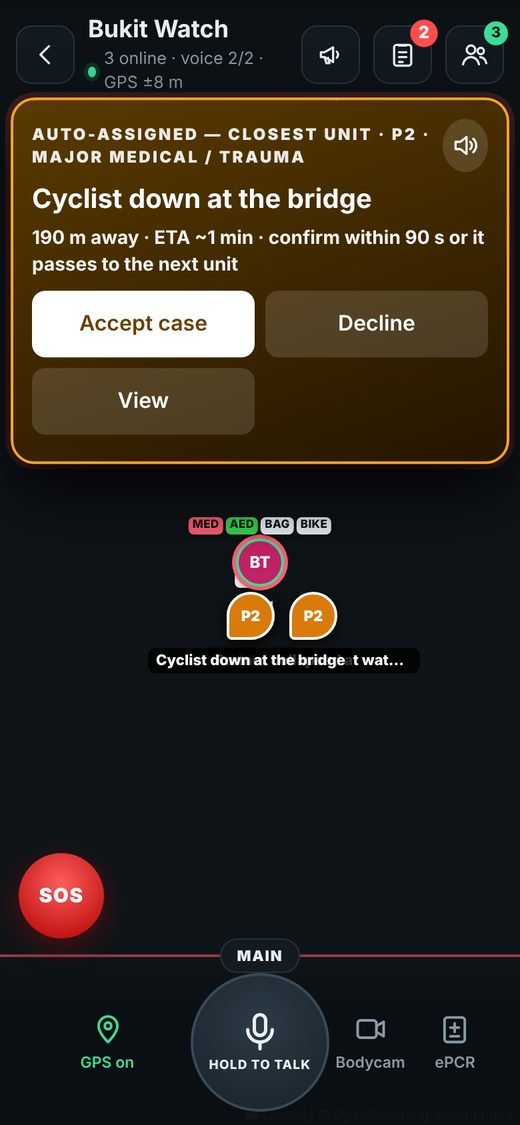
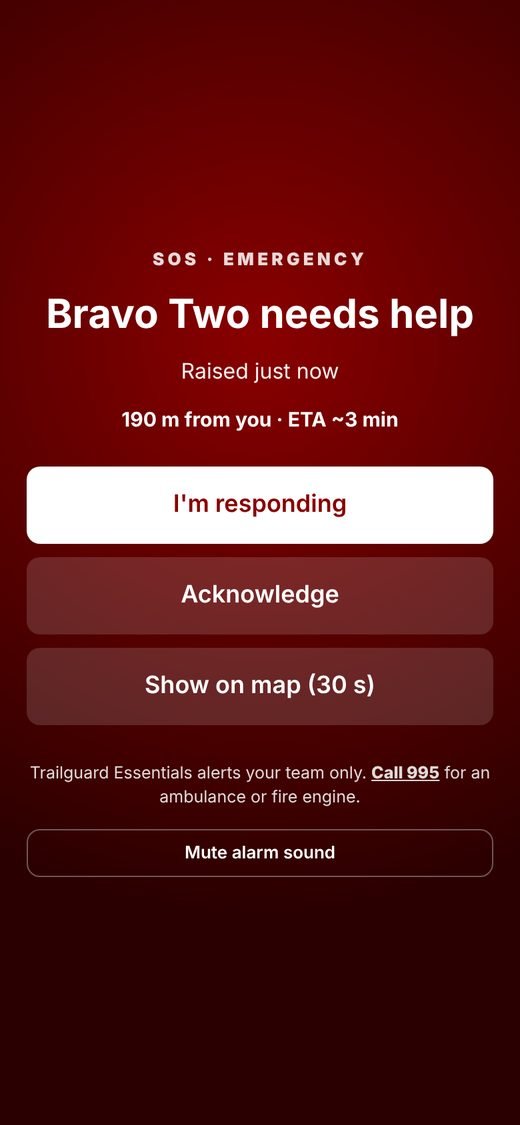
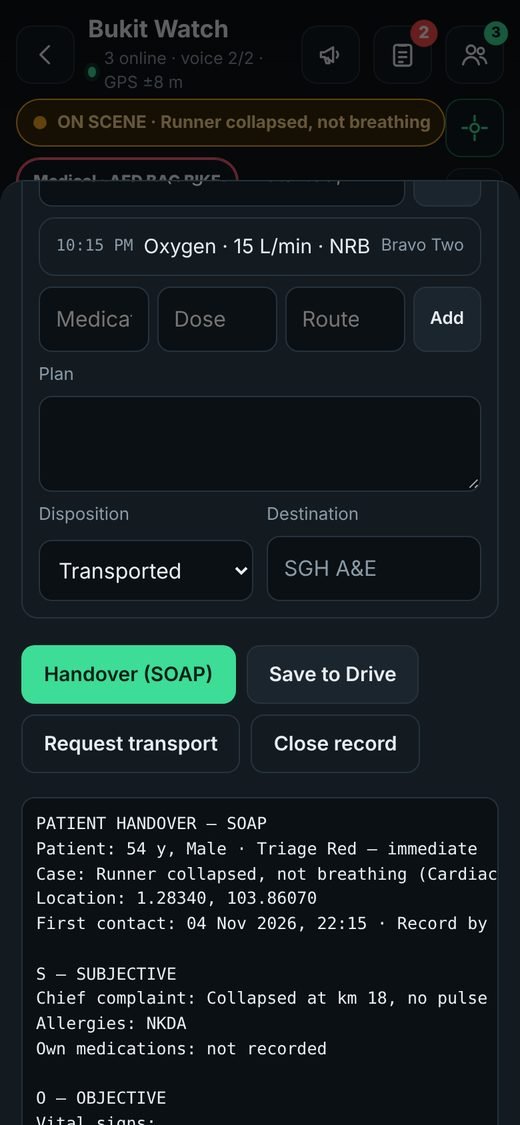
For dispatch and the whole team
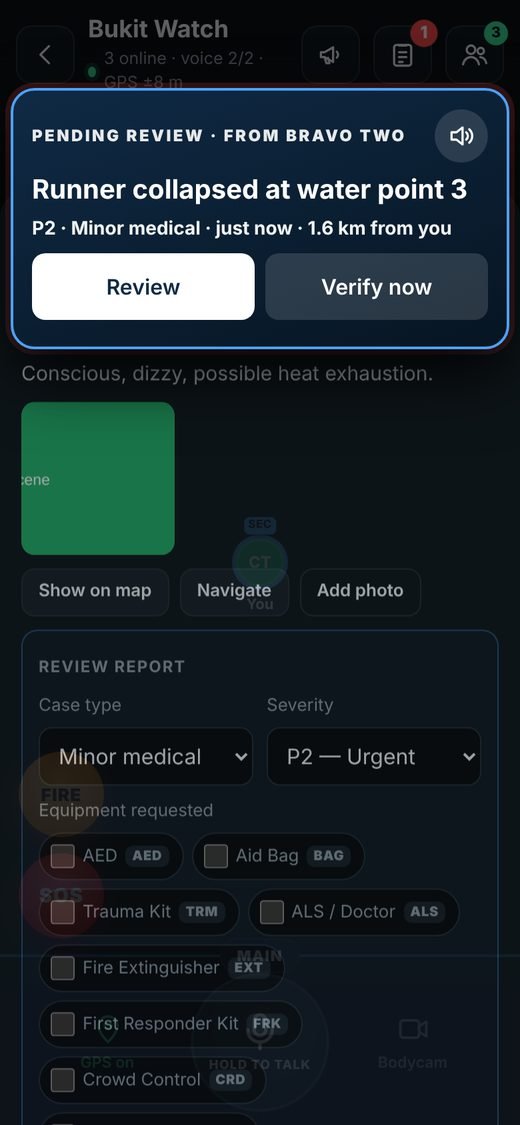
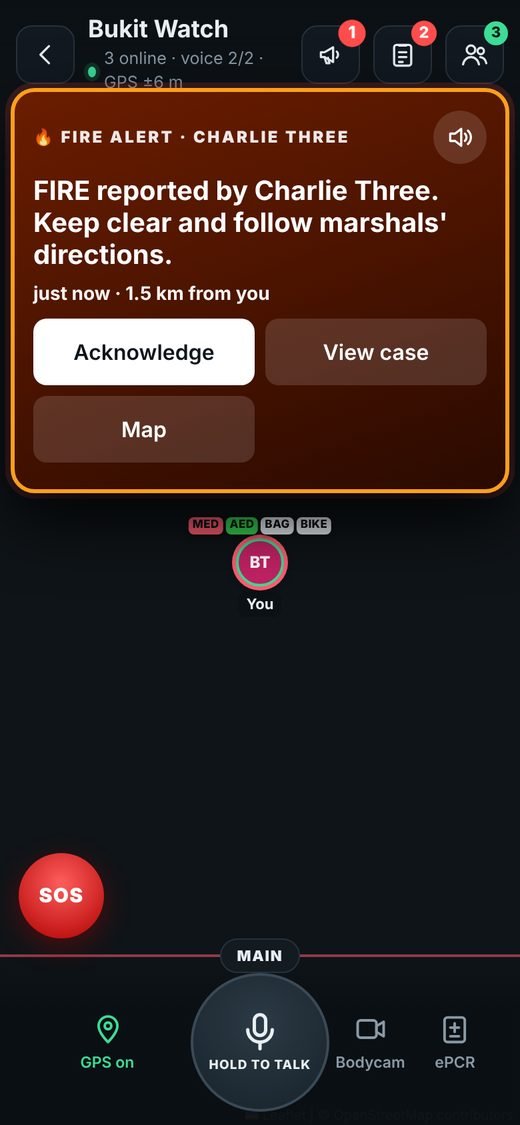
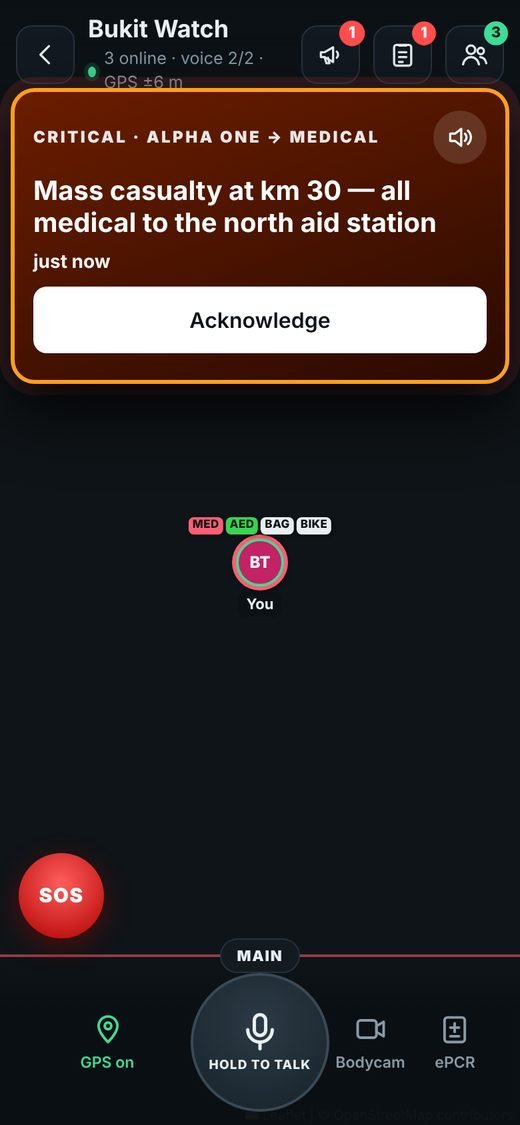
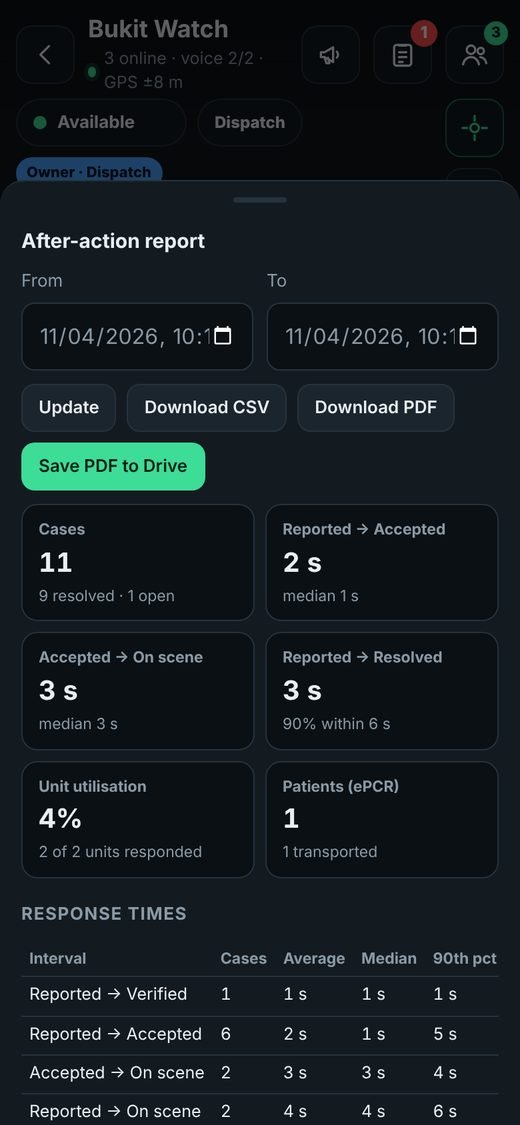
Real app screens with demo data (map tiles left out of these test captures).
Built around roles
Everyone sees only the tools their job needs
Security
- Live bodycam
- Incident reports
- Push-to-talk
- Proximity alerts
Medical
- Patient care records
- Transport requests
- Medical channel
- Proximity alerts
Fire & Safety
- Fire hazard reports
- Hold-to-send fire alert
- Dispatch
- Push-to-talk
Usher / Marshal
- One-button case report
- The map
- Announcements
Dispatcher
- Review queue
- Unit tracking
- Live bodycam feeds
- Assigning and reports
Built for the field
No hardware to hand out, and your data stays yours
Any phone
Runs in the browser or as an Android app.
Keeps running
Tracking and alerts continue with the screen locked on the Android app.
Weak signal
The app opens offline and recently viewed map areas are cached.
Your data
Live data in your own Firebase project (Singapore region); clips, records and reports in your own Google Drive.
Locked down
Security rules check every read and write; only group members see a group’s data.
Beta today
Groups of up to 15 responders.
Next step
Run your next event on Trailguard
We’re taking a small number of events into the beta. See a live demo on your own phones, and we’ll help set up your event group and course map.
Contact us
Talk to us about your event
Planning a race, festival or expedition? Ask for a demo or a pilot, or ask anything about the app.
- Try the appapp.trailguardessentials.com
- Based inSingapore